Free web app for PitPat walking pads
Your Superun or DeerRun walking pad, without the PitPat app.
Walk runs your pad straight from the browser. Big Start, Pause and Stop buttons, an exact speed, and every walk counted.
- No app to installOpens in Chrome, Edge or Opera.
- Works offlineInstall it from your browser, on a computer or phone.
- No account neededYour walks stay on your device.
- Optional cloud syncYour walks in every browser you use.
- Connect your AI agentClaude, ChatGPT and others can follow your walks. How
- Free and open sourceNo ads, no subscription.
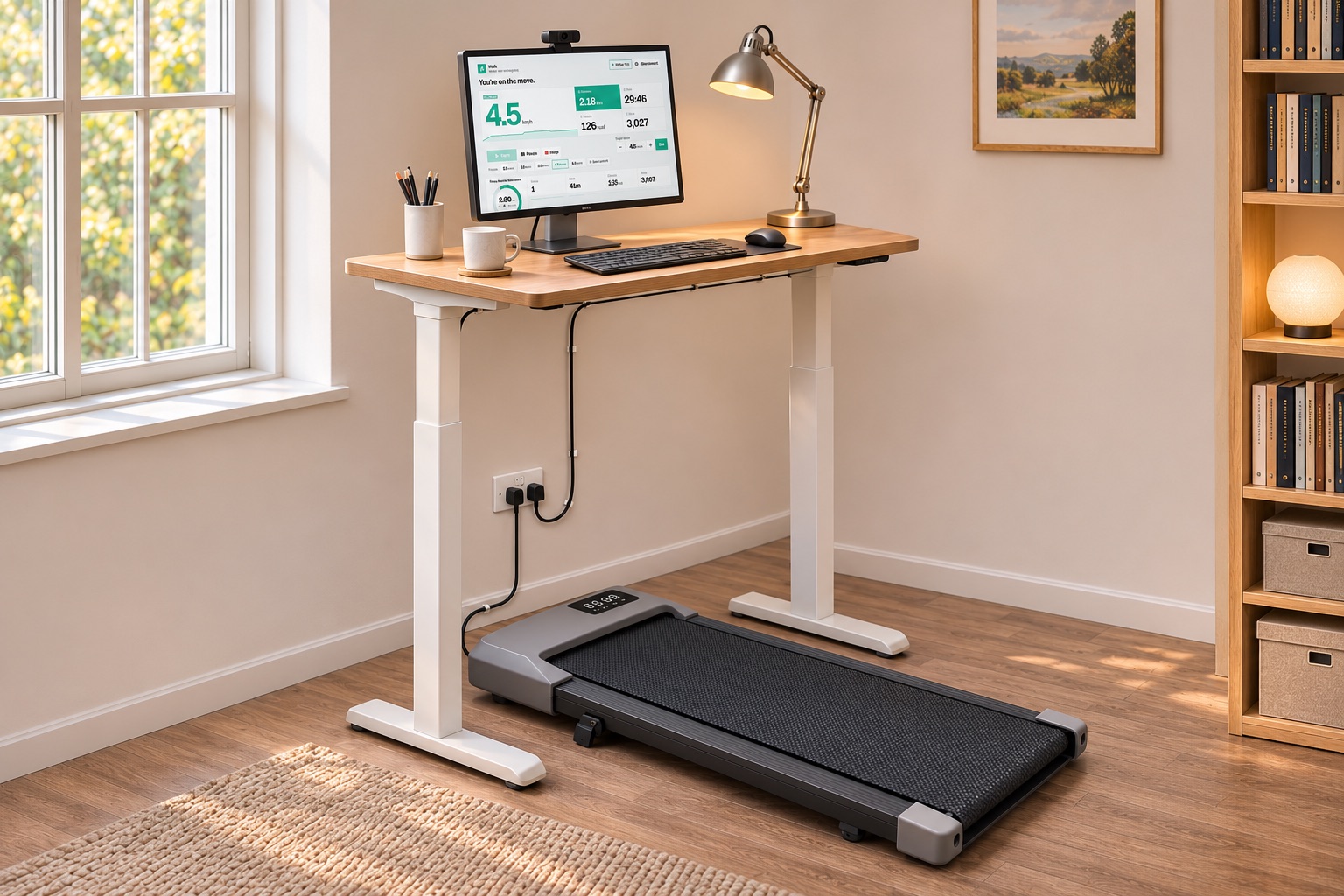
Why use Walk instead of the PitPat app
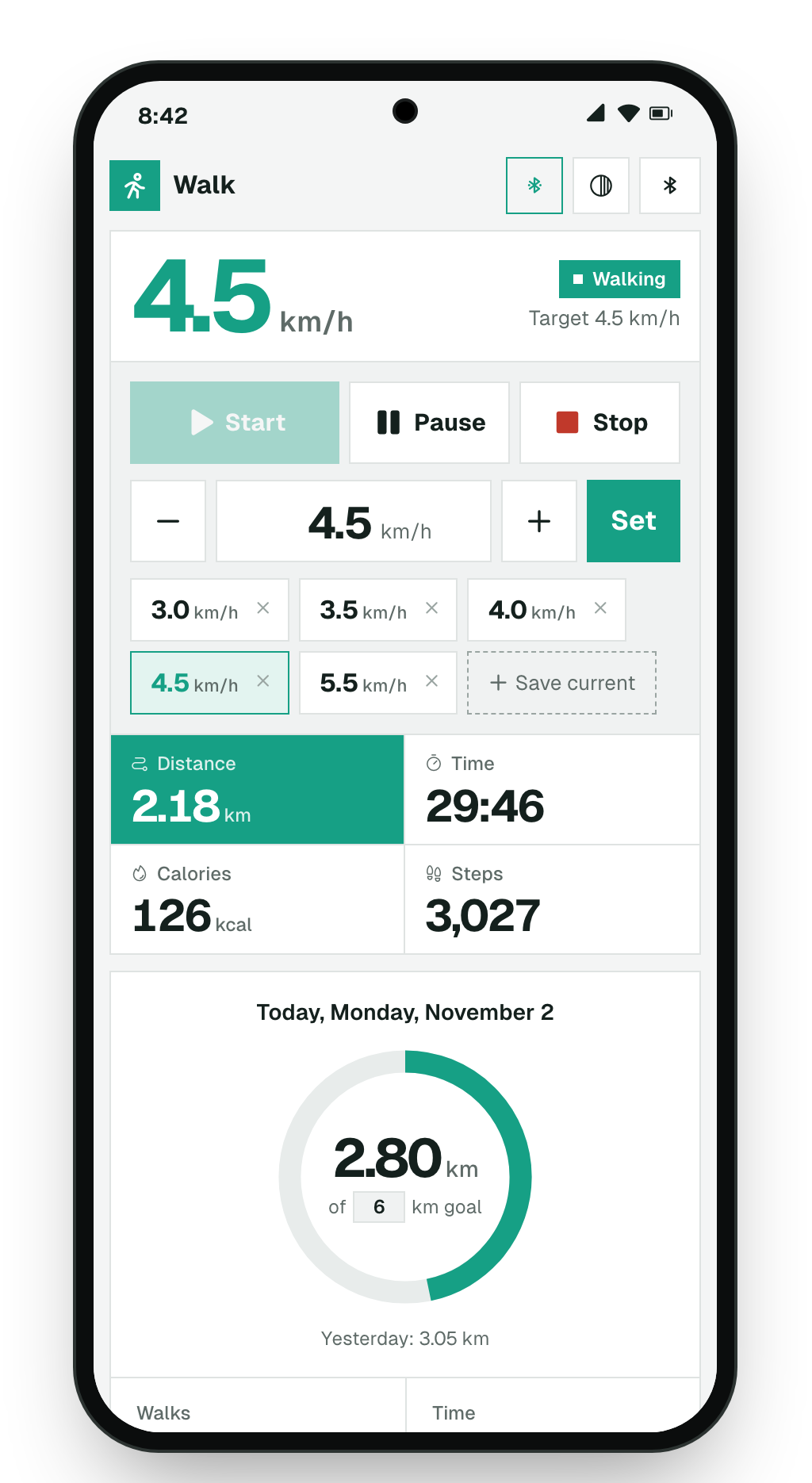
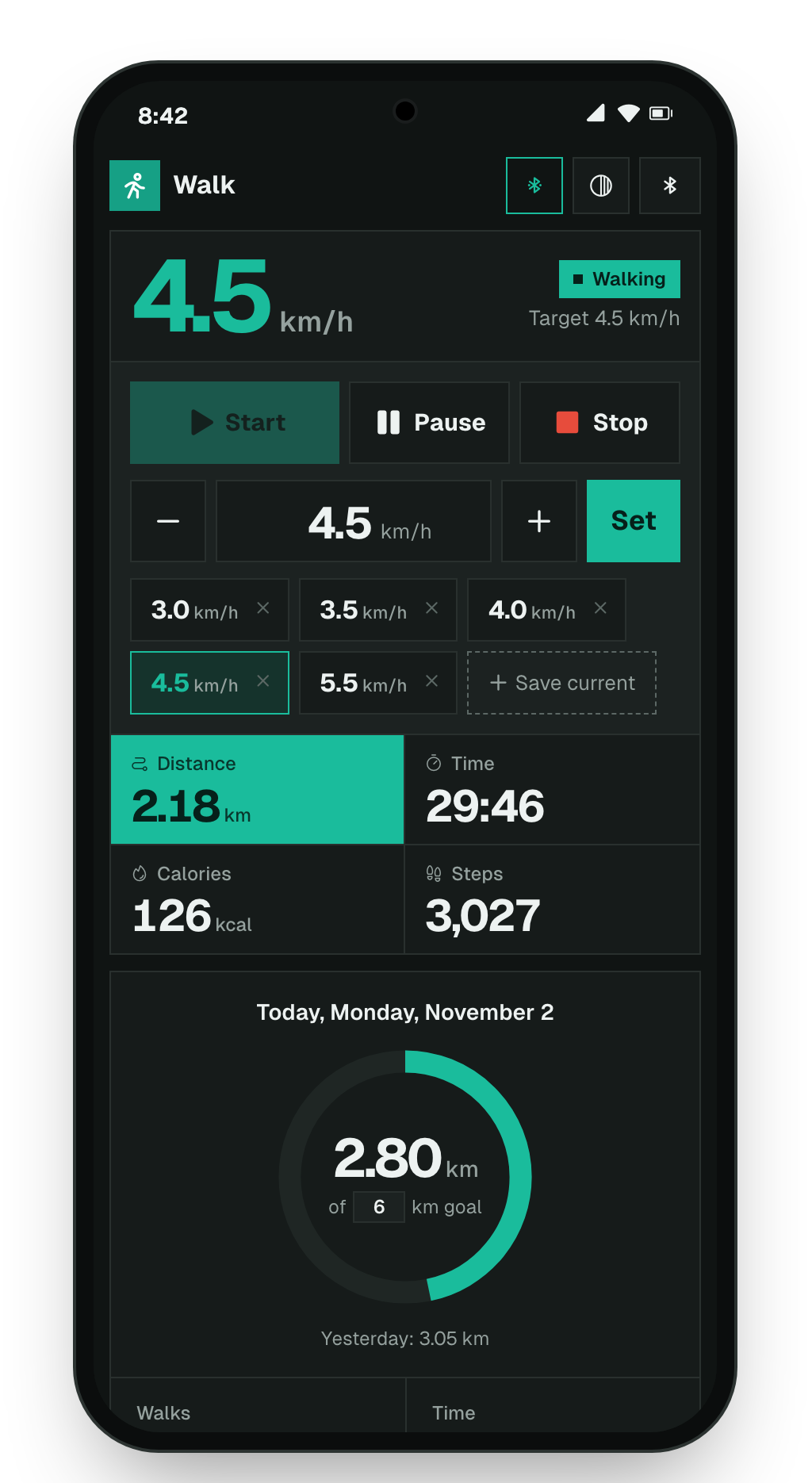
- Controls firstBig buttons, an exact speed, one-tap presets and keyboard shortcuts.
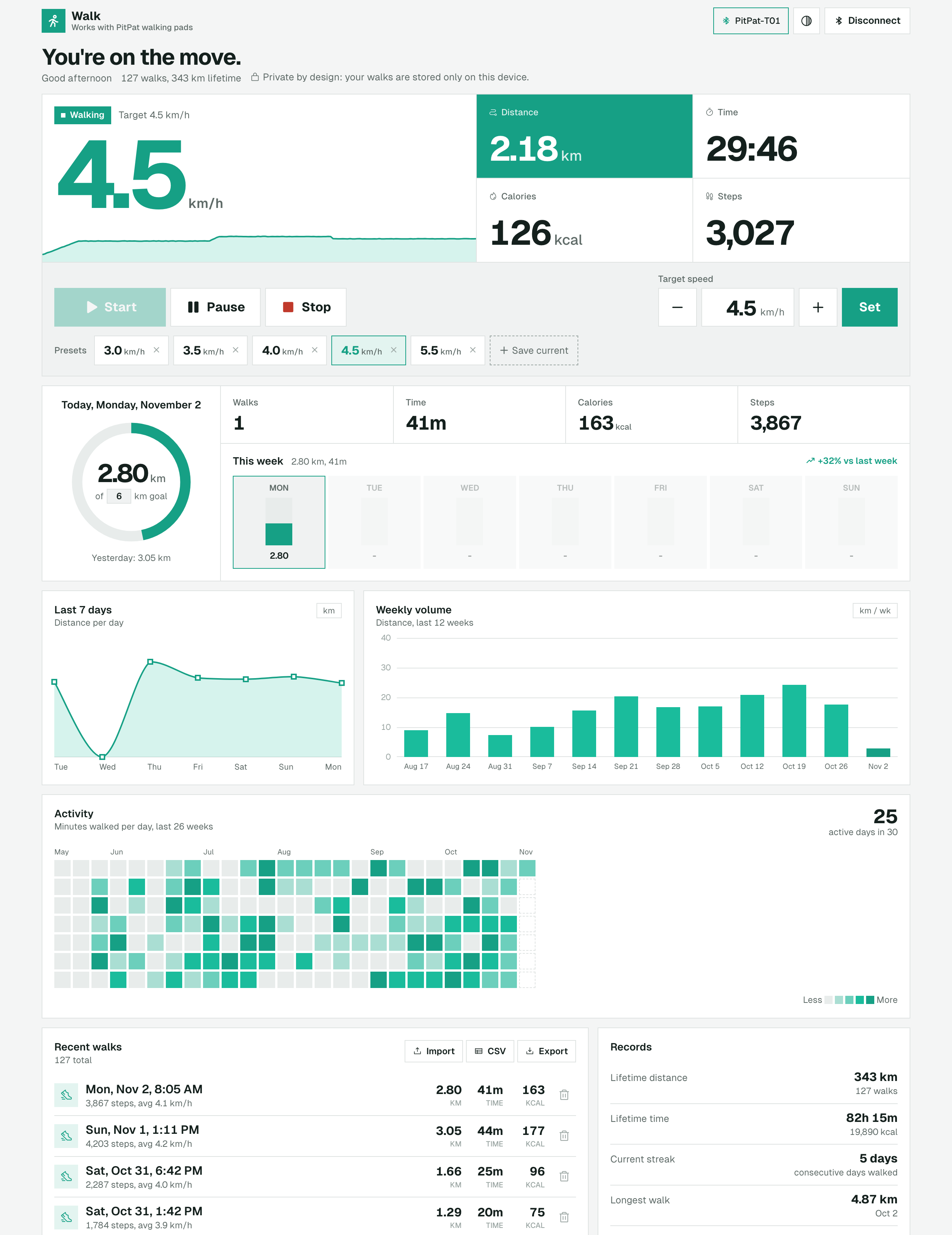
- Every step countedDistance, time, steps and calories, even through pauses and dropouts.
- See your progressA daily goal, your week, weekly trends, an activity calendar and records.
How to connect your Superun or DeerRun walking pad
- Turn on the pad and close the PitPat app on your phone. The pad connects to one device at a time.
- Open Walk in Chrome, Edge or Opera, and press Connect.
- Pick your pad from the list.
- Press Start or tap a preset speed; the belt ramps up to it. Keyboard: Space start or pause, ↑↓ speed, Esc stop.
Will it work with my Superun or DeerRun walking pad?
Works with
- Superun and DeerRun walking pads, and other pads that use the PitPat app
- Tested on a PitPat-T01 pad
- Chrome, Edge or Opera on Windows, macOS, Linux, ChromeOS or Android
Not supported
- iPhone and iPad, in any browser
- Safari and Firefox
- Pads that use a different app (for example KingSmith WalkingPad)
Those browsers don't let websites use Bluetooth. If your pad uses the PitPat app and doesn't show up, tell me.
Superun, DeerRun and PitPat: how they fit together
Superun and DeerRun walking pads pair with PitPat, a phone app for treadmills. Walk speaks the same Bluetooth language, so it controls these pads straight from a web page. No PitPat app, and no phone nearby.
Connect your AI agent
Two ways. Use either, or both.
From anywhere Needs cloud sync
Claude, ChatGPT or any assistant that supports remote MCP. It reads the walks you sync to the cloud, with no browser open.
- Turn on cloud sync: in Walk, open the menu and sign in under Sync and assistants.
- Copy the address:
- Add it to your assistant as a connector. In Claude: Settings, Connectors, Add custom connector.
- Sign in, press Allow, and ask: "How did my walks go this week?"
It can change your daily goal only if you allow it. It can't run the pad.
In your browser No account needed
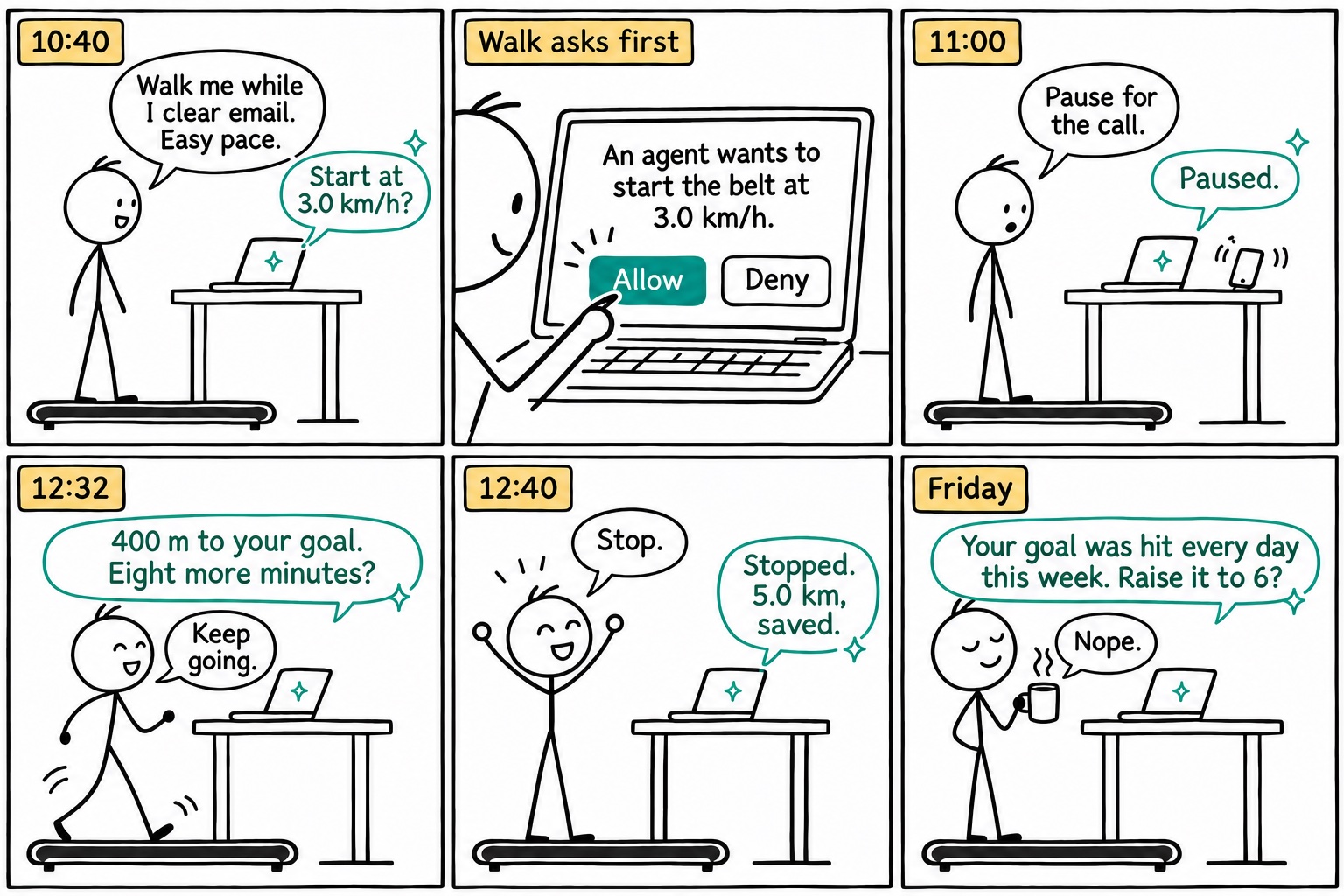
An assistant in the same Chrome window runs the pad with you, through WebMCP.
- Open Walk in Chrome with an assistant that supports WebMCP.
- Connect your pad.
- Ask it to start, pause for a call, or pick up the pace.
Walk asks you before the belt starts. Chrome only, for now.
Questions
Does Walk work offline?
Yes. Install it from your browser (the install icon in the address bar, or Add to Home screen on Android) and it opens and runs the pad without internet. Your walks sync next time you're online, if you've signed in.
Can I use my Superun or DeerRun walking pad without the PitPat app?
Yes. Walk talks to the pad directly over Bluetooth, the same way the PitPat app does. Keep the PitPat app closed while you use Walk, because the pad connects to one device at a time.
Is Walk really free? What's the catch?
It's free and open source, in the public domain. It's a hobby project: no ads, no subscription, no tracking, and no account needed.
Where are my walks stored?
In your browser, on this device. Clearing the site's data deletes them, so use Export now and then, or sign in to sync. An account is optional: it keeps your walk totals (time, distance, steps, calories, speed) so your other browsers and your AI assistant can see them. Per-second readings stay in the browser. You can delete the account anytime. See the privacy notice.
Can an AI assistant follow my walks?
Yes, two ways. With cloud sync on, add Walk as a connector in Claude, ChatGPT or another assistant that supports remote MCP. It reads your synced walks, your goal and streak, and changes your goal if you allow it, but cannot run the pad. Without an account, an assistant in the same Chrome window can read your walks and run the pad through WebMCP.
Can I control my Superun or DeerRun walking pad from my phone?
On Android, yes, in Chrome. On iPhone, no: Apple doesn't let websites use Bluetooth.
Walk doesn't find my Superun or DeerRun pad.
Close the PitPat app (or turn off Bluetooth on the phone that runs it), make sure the pad is on, and press Connect again. Walk reconnects by itself after brief drops.
Does it count steps on a Superun or DeerRun walking pad?
Yes, when the pad reports them. Distance, time and calories come from the pad too.
Stay safe
Walk controls moving equipment. Keep the pad's remote within reach, and step off before starting or changing speed while you test. Use at your own risk.
Who made this
I'm Omri Lotan. I wanted to walk at my desk without a phone app in the way, so I built Walk. It stands on the protocol work of PitPat-WebBT, pitpat-treadmill and pacekeeper. The code is on GitHub.